Do Front-of-Package Nutrition Labels Make Food Choices Easier?
How to use the FDA proposed Nutrition Info box, Nutrition Facts labels, and MyFit Score together when comparing packaged foods.
Front-of-package nutrition labels are designed to make packaged-food decisions faster. The FDA proposed Nutrition Info box focuses attention on saturated fat, sodium, and added sugars because those nutrients can be hard to compare quickly in a grocery aisle.
That helps, but it does not answer the whole MyFitLife question: does this food fit your meal, your protein target, your calorie range, and the rest of your day? The answer comes from combining front-of-package signals with the full Nutrition Facts label, barcode logging, and MyFit Score.
Use the front label as a fast warning light
A front label is useful for quick comparison between similar foods. If two yogurts, frozen meals, sauces, or snacks look close, a clear low, medium, or high signal for saturated fat, sodium, or added sugars can narrow the choice before you read the full panel.
Do not stop there. A product can look strong on one nutrient and still miss the job of the meal. A low-sugar snack may not have enough protein. A low-sodium product may not be filling. A higher-calorie option may still fit if it anchors a meal instead of becoming an extra snack.
Check serving size before comparing
Serving size is the technical hinge. The Nutrition Facts numbers are tied to the listed serving, not automatically to the amount you eat. If you log two servings, the calories, sodium, added sugars, and other nutrients scale with that amount.
Barcode scanning in MyFitLife is fastest when you treat it as a starting point. Scan the product, confirm the serving, adjust the amount, and then decide whether the entry fits the meal.
Let MyFit Score add context
MyFit Score is a comparison layer, not a replacement for the label. Use it after the serving size is realistic. The score can help you compare foods in context while calories, protein, and other nutrition details keep the decision grounded.
- Compare similar foods first, such as two cereals or two frozen meals.
- Confirm the serving size you actually plan to eat.
- Check whether the food helps or hurts the meal target.
- Use MyFit Score as a summary, then inspect details when the score surprises you.
Do not confuse label literacy with restriction
The point of labels is better information, not a rule that every food must be perfect. A packaged food can be useful if it solves a real meal problem: lunch is late, protein is low, dinner needs a fast side, or a grocery staple makes the week easier.
Turn better label choices into saved defaults
The real payoff happens after the first comparison. When you find packaged foods that fit your targets and score well enough for regular use, save them. Add them to repeat meals, pantry habits, or grocery lists so the better choice is easier next time.
A packaged-food decision workflow
- Use front-of-package information to narrow similar options.
- Read the Nutrition Facts serving size before deciding.
- Scan the barcode in MyFitLife and adjust the portion.
- Check calories, protein, and MyFit Score against the meal job.
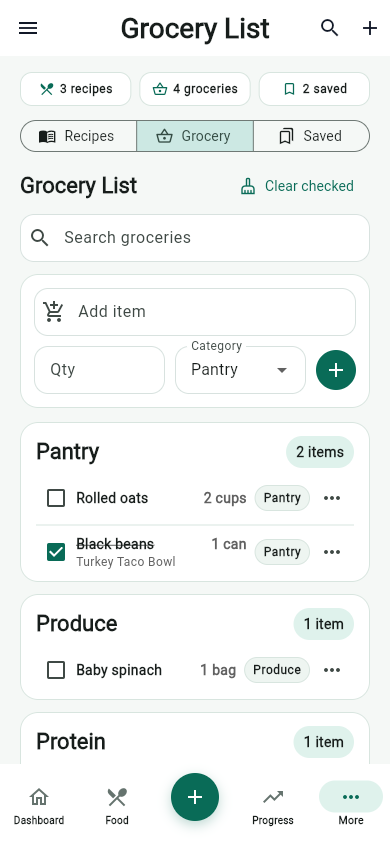
- Save or add the food to Grocery if it is a repeatable fit.
The MyFitLife answer is that front labels can make the first pass easier, but the best decision still needs context. Pair the package signal with barcode logging, realistic servings, MyFit Score, and your actual day.
Sources and further reading
- Front-of-Package Nutrition Labeling U.S. Food and Drug Administration
- How to Understand and Use the Nutrition Facts Label U.S. Food and Drug Administration
- IFIC Spotlight Survey: Americans' Perceptions Of Nutrition Labels International Food Information Council
- FoodData Central U.S. Department of Agriculture
Related articles
- Meal Planning With a Grocery List: A Simple Weekly System
- How to Build a Healthy Grocery List for Weight Loss
- Hydration Tracker for Weight Loss Habits: What to Track
Take your nutrition with you.
Log food, track progress, and meet your goals anywhere.