How to Build a Grocery List From Your Meal Plan
Turn planned meals into a smart, organized grocery list in minutes.
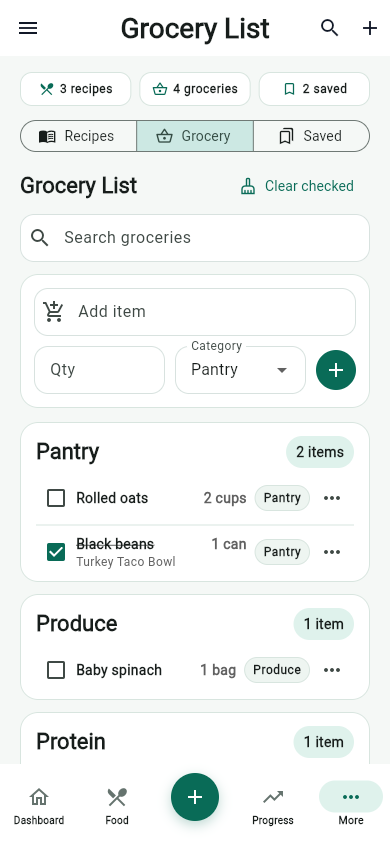
A grocery list works best when it starts from the meals you actually plan to eat. MyFitLife keeps those pieces close together so you can move from recipes to shopping without rebuilding the same list by hand.
Start with the meals you want to make
Open Pantry, choose recipes you want for the week, and add the ones that fit your schedule. Keep simple meals in the rotation so the plan is realistic on busy days.
Review ingredients before shopping
Use the Grocery tab to review grouped ingredients. Check the list against what you already have, then clear items that do not need to be purchased.
Keep the list useful in the store
Group similar items, check things off as you shop, and keep manual additions for staples that are not tied to a specific recipe.
Related articles
- Meal Planning With a Grocery List: A Simple Weekly System
- How to Build a Healthy Grocery List for Weight Loss
- Hydration Tracker for Weight Loss Habits: What to Track
Take your nutrition with you.
Log food, track progress, and meet your goals anywhere.