How to Use MyFit Score When Choosing Meals
Use MyFit Score to compare foods and meals without losing sight of your daily targets.
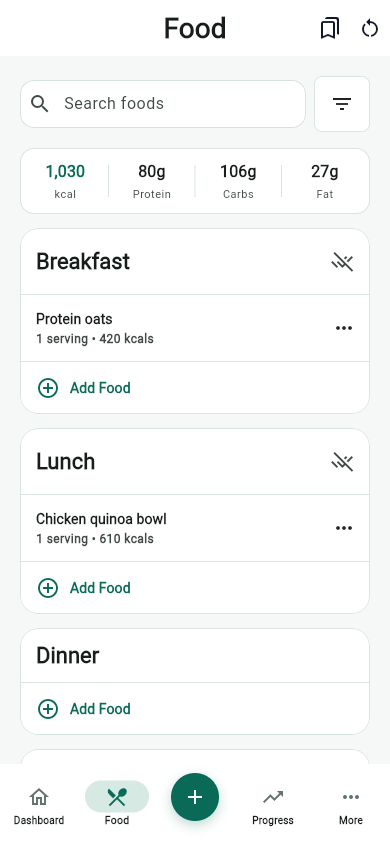
MyFit Score gives you one quick read on food quality across foods, meals, and recipes. It is most useful when you pair it with your calorie, protein, and hydration targets.
The score is not meant to replace your daily targets or personal preferences. It is a fast comparison layer that helps you spot stronger choices when several foods could work in the same meal.
Start with the job of the meal
Before comparing scores, decide what the meal needs to do. Breakfast may need protein and fiber. A post-workout meal may need more total calories. A late snack may need to be filling without pushing the day far past target.
Once the job is clear, MyFit Score can help you compare options in context. A high-scoring food that does not fit the meal is still less useful than a solid option that fills the actual gap in your day.
Compare similar choices first
The cleanest use of MyFit Score is comparing similar foods: two breakfasts, two packaged snacks, two lunch bowls, or two recipe ideas. That keeps the comparison fair and easier to act on.
Do not ignore your macro target
A high score is helpful, but the best choice still depends on what your day needs. If protein is low, prioritize a meal that closes that gap.
Calories, protein, carbs, fat, sodium, fiber, and serving size can all change the decision. Use the score as a summary, then glance at the details before logging or saving the food.
Use the score to build defaults
A strong routine usually comes from a small group of repeatable meals. When you find foods that score well and fit your targets, save them so future meals start from a better default.
- Save a breakfast that consistently covers protein.
- Keep one quick lunch that fits your usual calorie range.
- Build a grocery list around the meals that work most often.
- Use lower-scoring choices as occasional tradeoffs instead of treating them as failures.
Read score changes as feedback
If a meal score drops after changing portions or ingredients, use that as a prompt to inspect what changed. Sometimes a small swap, a leaner protein, a higher-fiber side, or a different serving size can improve the meal without changing the whole plan.
A simple MyFit Score workflow
- Log or search the food you are considering.
- Check whether calories and protein fit the rest of the day.
- Use MyFit Score to compare it with a similar option.
- Review the nutrition details if the score is lower than expected.
- Save repeatable meals that fit both the score and your daily targets.
Used this way, MyFit Score becomes a practical decision tool: not a judgment, not a diet rule, and not a replacement for professional nutrition advice when you need individualized guidance.
Sources and further reading
- Dietary Guidelines for Americans, 2025-2030 U.S. Department of Health and Human Services and USDA
- Tips for Healthy Eating for a Healthy Weight Centers for Disease Control and Prevention
- Nutrient Recommendations and Databases NIH Office of Dietary Supplements
Related articles
- Meal Planning With a Grocery List: A Simple Weekly System
- How to Build a Healthy Grocery List for Weight Loss
- Hydration Tracker for Weight Loss Habits: What to Track
Take your nutrition with you.
Log food, track progress, and meet your goals anywhere.